Case Study
Couchbase
Capella.
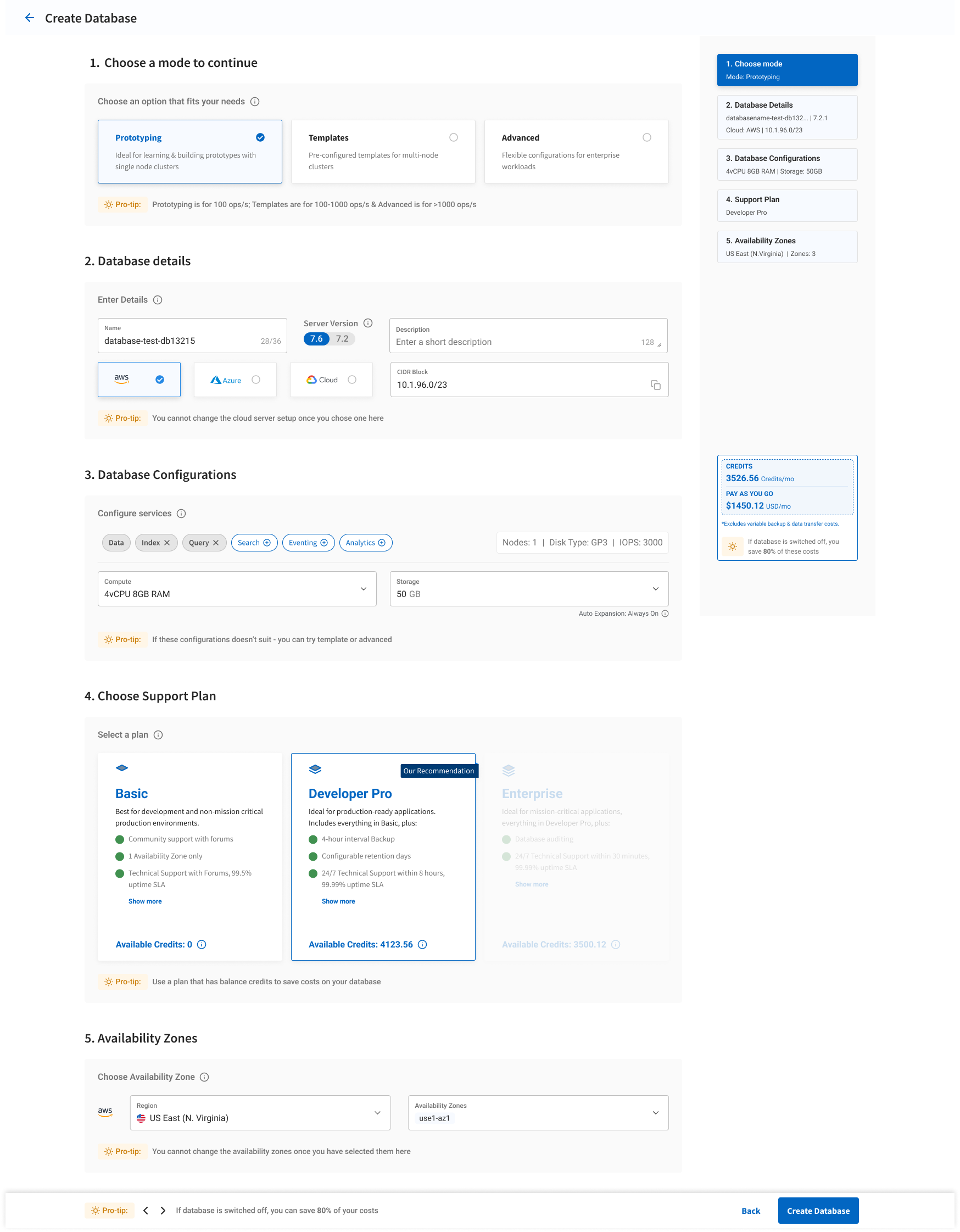
Day 0 UX Experience. A seamless journey into database management.
Day 0 UX Experience. A seamless journey into database management.
Project Date
January 10th, 2024
Role
Senior UX Designer / Manager
Client
Couchbase - Capella
Platform
Enterprise Web App
The primary goal was to dramatically accelerate Time-To-Value (TTV) for enterprise users on Couchbase Capella.
In enterprise software, friction breeds churn; value must be immediate. I led the UX design efforts to create a frictionless onboarding architecture, smoothing the critical transition from initial setup (Day 0) to full operational use (Day 1) and ensuring users experienced the core value of our DBaaS within minutes.
Objective: Accelerate TTV & prevent early churn.
Designed a minimalistic and intuitive sign-up interface to reduce user cognitive load and eliminate friction on their first interaction.
Implemented interactive tutorials and tooltips tailored to rapidly guide users toward their first "Aha!" moment and successful configuration.
Conducted user interviews and usability testing to identify early drop-off points and iteratively smoothed the pathway to value.
Objective: Effective integration & utilization.
Developed a user interface that supports scalability, allowing users to easily manage database operations as needs grow.
Designed features that facilitate seamless integration with other services, such as ElasticSearch, for enhanced functionality.
Created user personas and journey maps to better understand user needs and tailor the interface to meet those requirements.
Onboarding isn't just a design problem; it's a business imperative. I aligned cross-functional teams around a unified vision for the Day 0 experience. By bridging the gap between product constraints and sales objectives, we developed a proactive flow that anticipated and resolved user hurdles before they happened.
Measurable Business Impact
Reduced Day 1 customer support tickets by 26%.
Capella's user experience is designed to maximize efficiency and ease of use.
Agile Development or User-Centered Design methodology was adopted, which assisted in outlining the principles, processes, and practices that the design team followed to achieve project goals effectively.
To address particular aspects of design, the team employed specific techniques within the methodology, such as wireframing, user research, or payment security design. While methodologies provided a structured framework, techniques offered actionable steps for executing tasks and solving specific problems.
Complexity of Features: Capella offers a wide range of features that can be overwhelming. Providing clear guidance to help users understand and utilize these effectively is crucial.
Diverse User Base: Users have varying technical expertise. Tailoring the onboarding to accommodate both technical and non-technical users is essential.
Personalized Onboarding: Creating dynamic onboarding paths that adjust based on user roles and goals enhances engagement and satisfaction.
Engagement Strategies: Implementing interactive tutorials, gamification, and actionable steps helps maintain interest and encourages exploration.
Global Adaptability: Architected the onboarding framework to support localized content and varying geographic enterprise requirements effortlessly.
Enterprise Tiers: Built with modularity to seamlessly scale the experience from nimble startups to massive enterprise deployments without breaking core UX patterns.
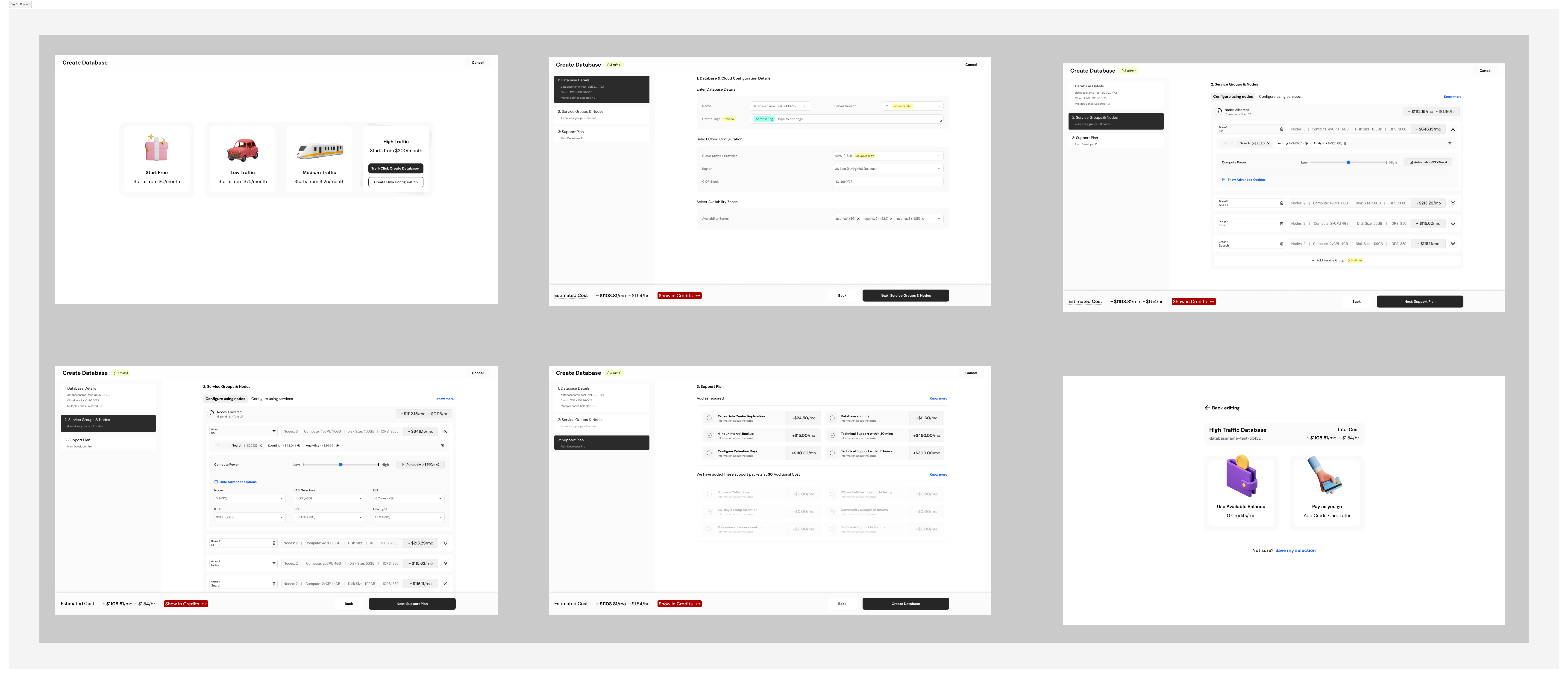
Continuous Feedback: Gathering user feedback during onboarding is critical to identify pain points. This feedback is used to iteratively refine the experience.
Agile Iteration: Adopting an agile approach allows for continuous improvements based on user feedback and changing needs, aligning with business goals.
Scalability & Performance: As the user base grows, ensuring the onboarding process remains efficient without degradation is a core challenge.
System Integration: Users need to integrate Capella with existing workflows. Providing seamless options and clear instructions reduces friction.
By addressing these challenges, I was able to create a more intuitive, engaging, and effective Day 0 experience for Couchbase Capella.